How to Verify an Android Rummy APK Before Installation
Installing an APK can be useful when an Android app is not available through a familiar app store, but it also removes some of the checks that users normally rely on. Before installing any Rummy APK, take a few minutes to verify who provides the file, what version it claims to be, and what access it requests.
This guide explains a practical review process. It does not certify a particular app or guarantee that an APK is safe. If important information is missing or inconsistent, the safest decision is to stop and contact the official app operator.
Why APK Verification Matters
An APK is the installation package used by Android. A file can look legitimate while still being outdated, modified, corrupted, or distributed by an unrelated party. A careful check reduces the risk of installing the wrong release, exposing account information, or granting unnecessary device access.
Verification is especially important when a page uses phrases such as “latest version” without showing a version number, release date, developer name, or update notes. A promotional claim is not a substitute for verifiable app information.
Check the Developer and Package Name
Start with the developer or operator named on the official website and inside the app listing. The names should be consistent across the download page, privacy policy, support channel, and installation screen.
Android apps also use a package name, usually in a format similar to com.example.app. It is more specific than the display name. If an update shows a different package name, Android may treat it as a separate app. That can indicate a different release or a repacked file.
- Confirm the developer or operator name.
- Compare the package name with a previously installed legitimate version.
- Check that support and privacy links belong to the same operator.
- Be cautious when the provider identity cannot be verified.
Confirm the Version and File Information
A useful download page should identify the app version, approximate file size, supported Android version, and the date the information was reviewed. Compare these details with the installation prompt before continuing.
A small difference in file size can result from compression or an update, but a major unexplained difference deserves investigation. Do not assume that a larger version number automatically means a file is genuine.
Review the Download Source
Prefer the app operator’s official website or a well-known app store. Check the domain carefully, including spelling and the secure HTTPS connection. Search advertisements, shortened links, copied landing pages, and files shared through anonymous messaging groups can lead to unrelated downloads.
If a website is an independent information site, it should say so clearly. Independent guides can help explain features and installation, but only the app operator can confirm the current release, account services, and official support arrangements.
Examine Requested Android Permissions
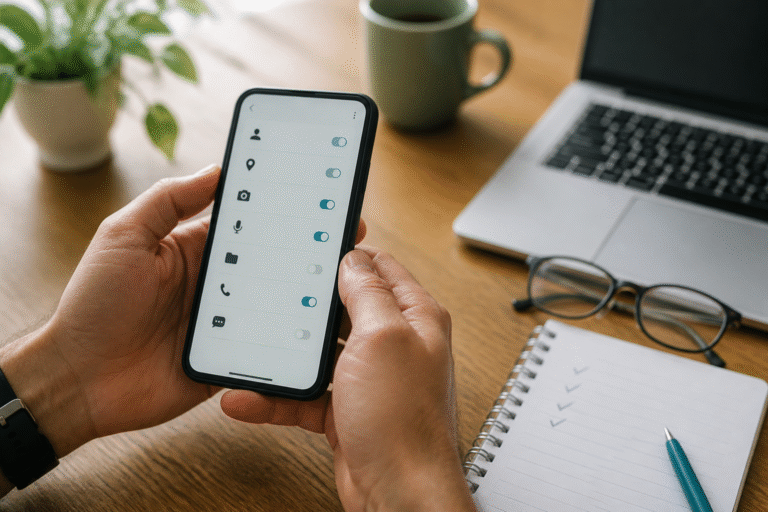
Read the permission screen instead of tapping through it. Some access may have a clear purpose, such as notifications for account activity or camera access used only when uploading a document. Other requests may be difficult to justify.
Contacts, call logs, SMS, accessibility controls, device administration, and unrestricted file access deserve extra scrutiny. A Rummy app should explain why sensitive access is needed and whether the feature can work without it.
After installation, Android settings normally allow you to review or revoke permissions. Denying an optional permission may disable a related feature, but it should not prevent you from questioning the request.
Avoid Modified or Repacked APK Files
Labels such as “mod,” “unlocked,” “patched,” or “unlimited” often indicate that a package has been altered. Modified files may break updates, change account behavior, or contain additional code that was not supplied by the original developer.
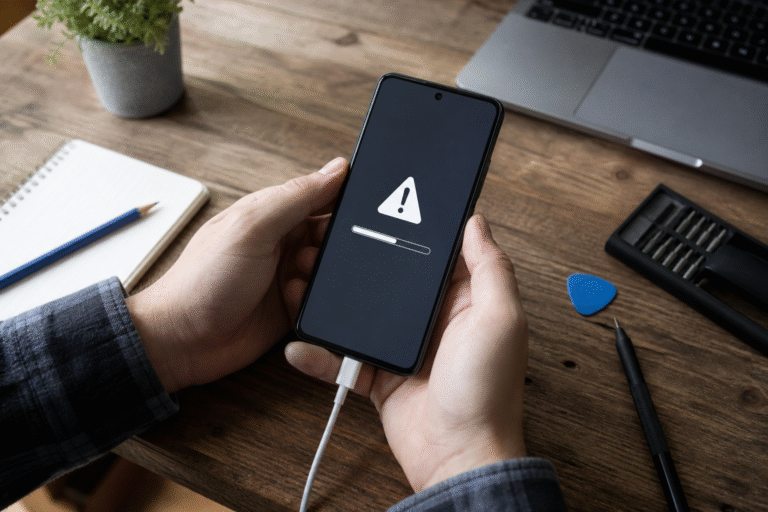
Do not disable Android security tools merely to force an installation. A warning is a reason to verify the file and its source, not an obstacle to bypass.
Protect OTPs and Account Information
Never share a one-time password, login password, recovery code, or screen-sharing access with someone claiming to provide installation help. Legitimate support may ask for an account reference, but it should not need your password or OTP.
Be equally careful with identity documents and payment information. Confirm why the information is requested, how it will be stored, and which operator receives it. Local age and gaming rules may also affect whether an app or service is appropriate for you.
Practical APK Verification Checklist
- The developer and operator can be identified.
- The domain and download source match official information.
- The version, package name, file size, and Android requirements are consistent.
- The privacy policy and working support contact are available.
- Requested permissions have a clear connection to app features.
- The file is not promoted as modified, patched, or unlocked.
- No one asks for your password, OTP, or remote device access.
If one of these checks fails, pause the installation. Ask the official operator for clarification or use a source you can verify.
Frequently Asked Questions
Does an APK warning always mean the file is harmful?
No. Android may warn whenever an app is installed outside a familiar store. However, the warning means you should verify the developer, source, package details, and permissions before proceeding.
Can a website guarantee that a Rummy APK is safe?
No independent website can guarantee the future behavior of every file or app version. A reliable page should provide verifiable details, disclose its role, and direct account-specific questions to the official operator.
Should I install an APK when the version number is missing?
It is better to wait until the current version and provider can be confirmed. “Latest version” alone is not enough information to compare the download with the installation screen.
Final Thoughts
A careful APK check is not complicated: verify the provider, compare release details, review permissions, and protect account credentials. Stop when the information is unclear. That decision is usually easier than resolving a compromised account or an unwanted app later.
Last reviewed: August 30, 2026. Editorial responsibility: AllPlayRummy publishes independent informational guides and is not the operator of third-party apps mentioned on the site. App availability, features, and policies can change; verify current details with the official operator.